













Temporary Numbers to Register on Telegram - Smspva
In today's digital world, privacy and security are of utmost importance. Many users seek ways to register for services like Telegram without using their personal phone numbers. Smspva provides a solution by offering temporary phone numbers for these registrations. This article will guide you on how to obtain and use temporary phone numbers from Smspva to register on Telegram, emphasizing the importance of protecting your privacy. Try it outWhy Use Temporary Numbers for Telegram Registration?

As concerns about data privacy increase, many users do not want to share their personal phone numbers when registering for online services. Using a temporary phone number can help protect personal information, reduce spam, and maintain privacy. This is particularly important for platforms like Telegram, which require a phone number for account creation and verification.
How to Get a Temporary Number for Telegram on Smspva
Smspva simplifies the process of obtaining a temporary phone number. Follow these steps to get started:
1
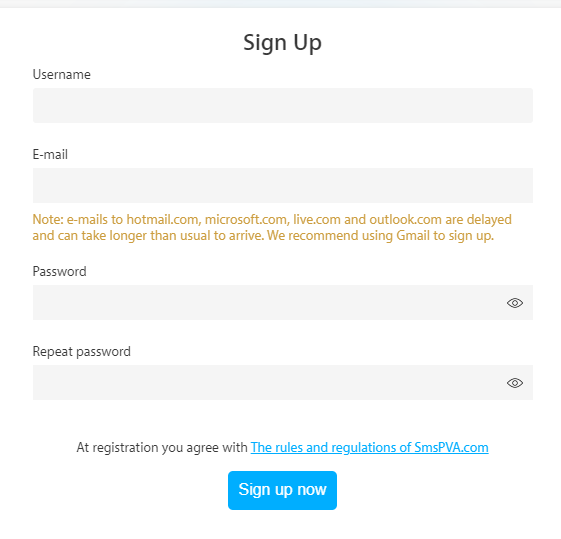
Register on Smspva
Access the Smspva website and create an account. The registration process is very simple and only takes a few minutes.
2
Top up your balance
After registering, add funds to your Smspva account. This can be done through various payment methods on the platform.

3
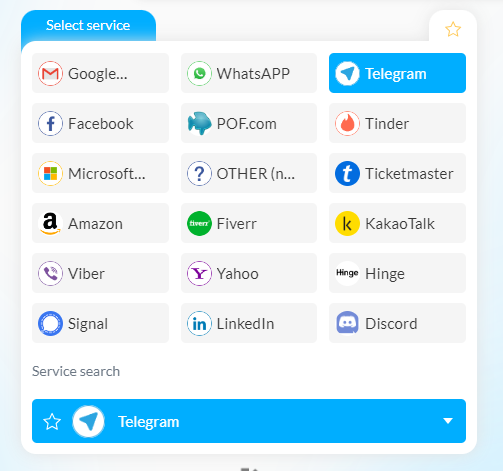
Select a phone number
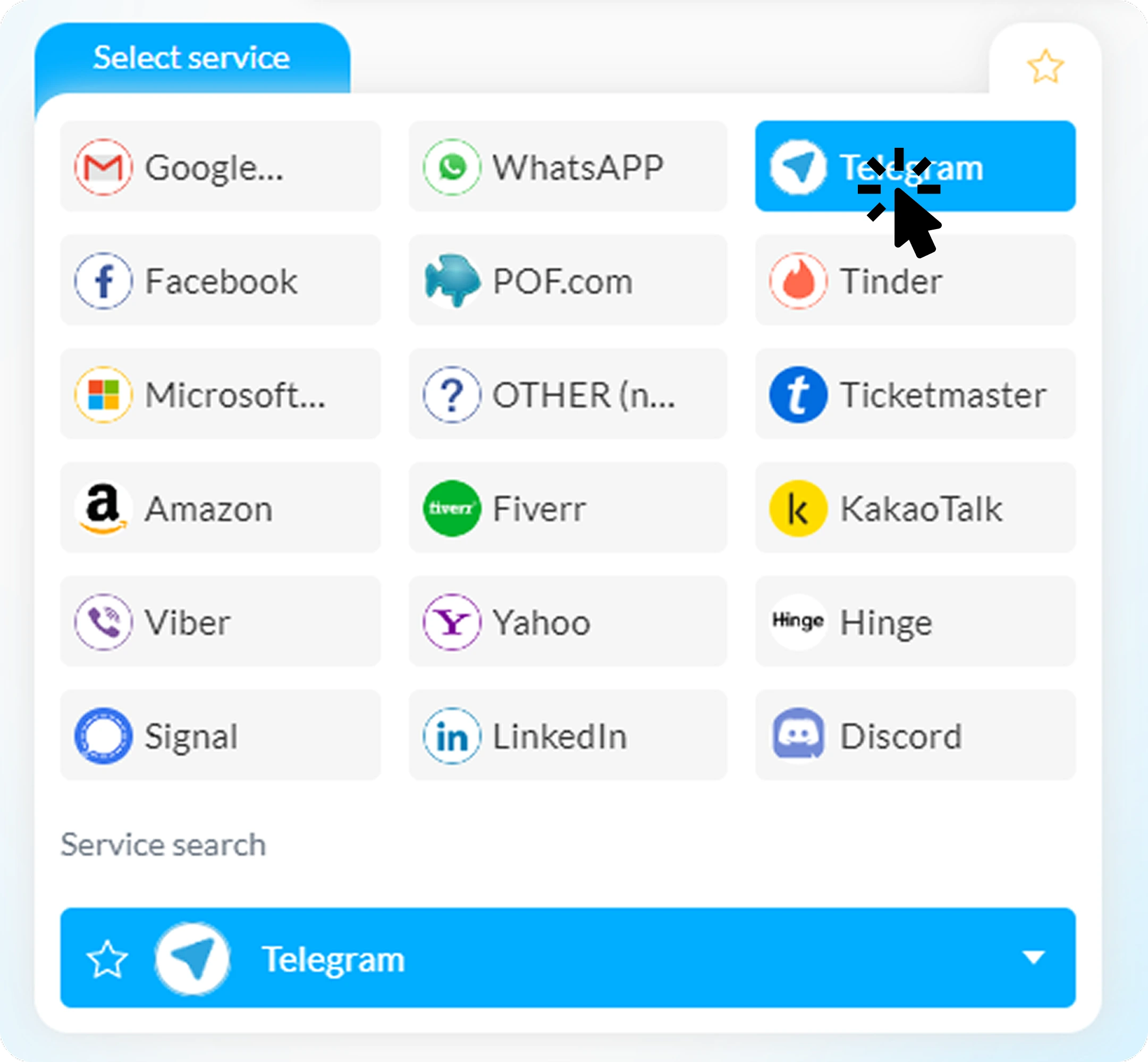
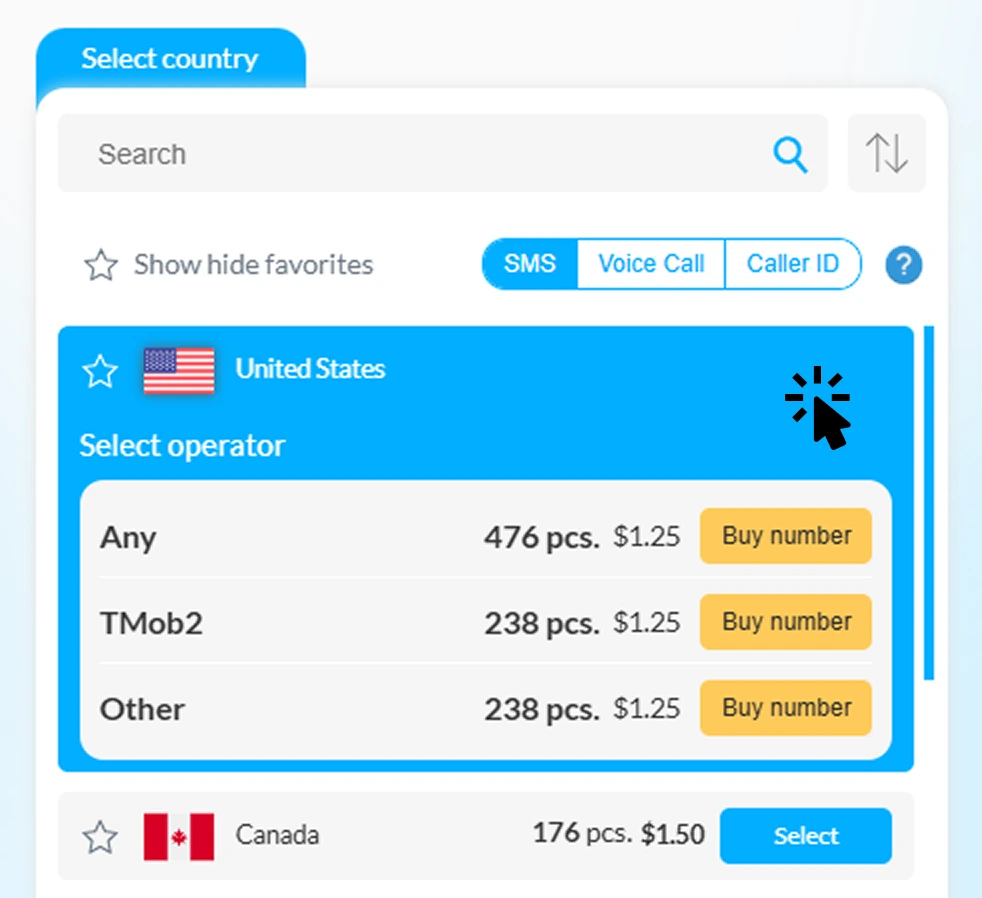
Move to the services section and select "Telegram" from the list. Choose a temporary phone number from the available options.
4
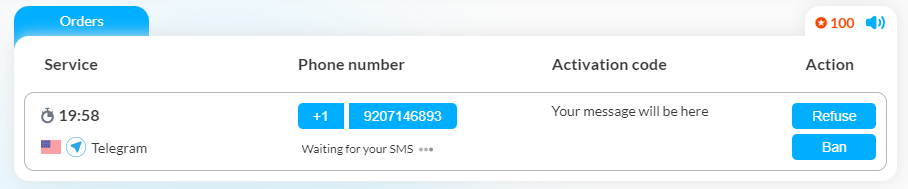
Receive SMS
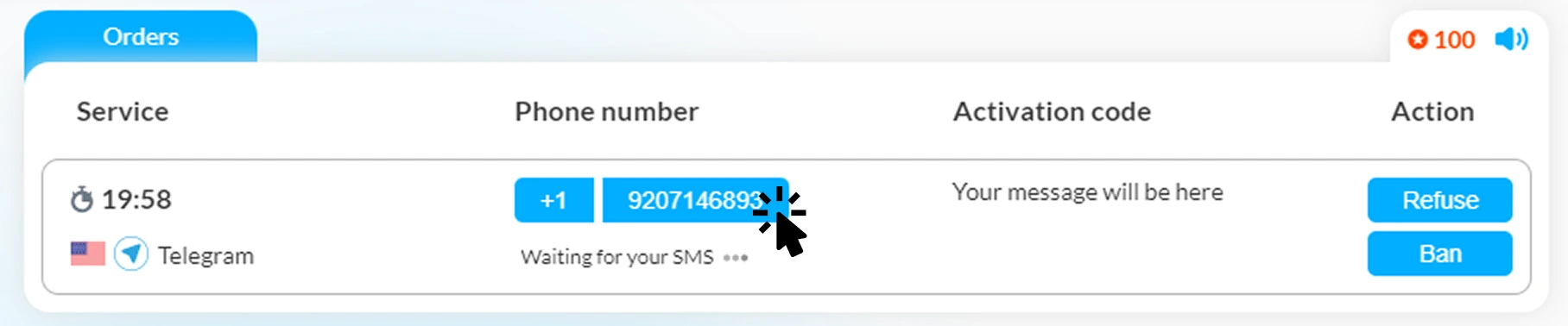
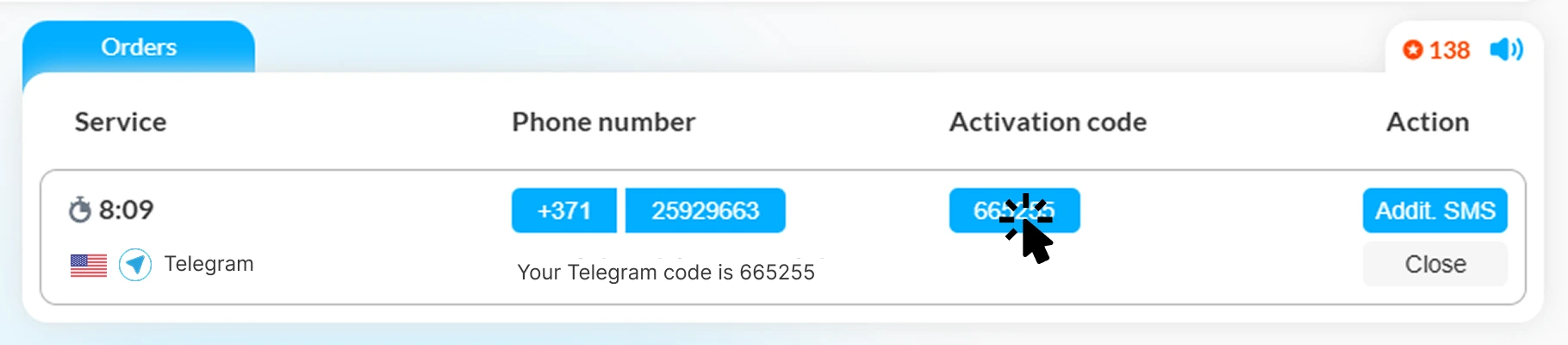
Once you have selected a phone number, use it for your Telegram registration. Smspva will receive the verification SMS, which you can view in your account control panel.
Registering on Telegram with a Temporary Number
Now that you have a temporary phone number, follow these steps to register on Telegram:
-
1
Download Telegram
If you haven't done so, download the Telegram application from your device's app store.
-
2
Enter the temporary phone number
Open the application and enter the temporary phone number provided by Smspva.
-
3
Receive the verification code
Telegram will send a verification code to the temporary phone number. Check your Smspva account to obtain the code.
-
4
Complete registration
Enter the verification code in the Telegram application to complete your registration. Now you can use Telegram without revealing your personal phone number.
Advantages of Using Temporary Numbers from Smspva
Smspva provides several benefits for users seeking temporary phone numbers for Telegram:
- Accessibility and ease of use: The platform is user-friendly, making it easy to quickly obtain a temporary phone number.
- Reliability: Smspva provides a reliable service, ensuring you receive the verification code without delays.
- Cost-effectiveness: Using Smspva is economical, with competitive pricing for temporary phone numbers.
- Phone number selection: You can choose between temporary and permanent phone numbers based on your needs.
- Privacy protection: Temporary phone numbers help protect your personal information, reducing the risk of spam and unwanted calls.
Protecting Your Privacy with Smspva
Using temporary phone numbers from Smspva is a smart way to protect your personal data. These numbers act as a protective layer, preventing your personal phone number from being exposed. Additionally, Smspva provides supplementary security measures to enhance your privacy:
-

Spam blocking
By using a temporary phone number, you can avoid spam messages and calls on your personal phone number. -

Enhanced security
Smspva uses advanced security protocols to ensure the safety of your data. -

Multi-verification
You can use a temporary phone number for multiple verifications, making it convenient for various services.
Start using Smspva today!
Ready to protect your privacy and register on Telegram without using your personal phone number? Visit Smspva and follow the easy steps to get your temporary number. Register on Smspva, top up your balance, choose a number, and enjoy a secure and private Telegram registration experience.
Register on Smspva | Top up your balance
Frequently Asked Questions (FAQ)
Can I use one number for multiple verifications?
Yes, you can use a temporary number from Smspva for multiple verifications across different services.
How long is a temporary number valid?
Temporary numbers are valid for a specified period, usually long enough to complete the verification process. Check Smspva for specific duration details.
Is it safe to use temporary numbers for Telegram?
Yes, using temporary numbers from Smspva is safe and helps protect your personal information.
Can I receive SMS from other services on these numbers?
Yes, you can use Smspva numbers to receive SMS from various services, not just Telegram.
By using Smspva's temporary numbers, you can enjoy the benefits of Telegram without compromising your privacy. Start today and take control of your digital security!